
Adding Highlights to Activity pages
Edited
Adding Highlights to an Activity page will give any website visitor a quick overview of what they can expect on the Tour or Activity they are viewing. Keep highlights concise for example: Table Mountain, The Big 5, Hiking and Sunset Cruise.
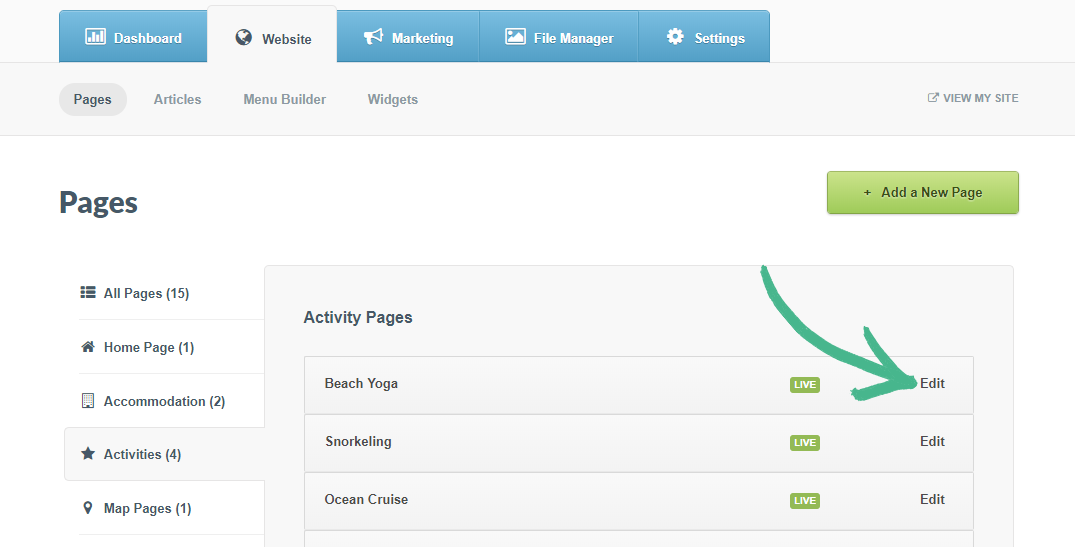
Step 1: In the Website tab > Select Activities in the left-hand menu > Click Edit
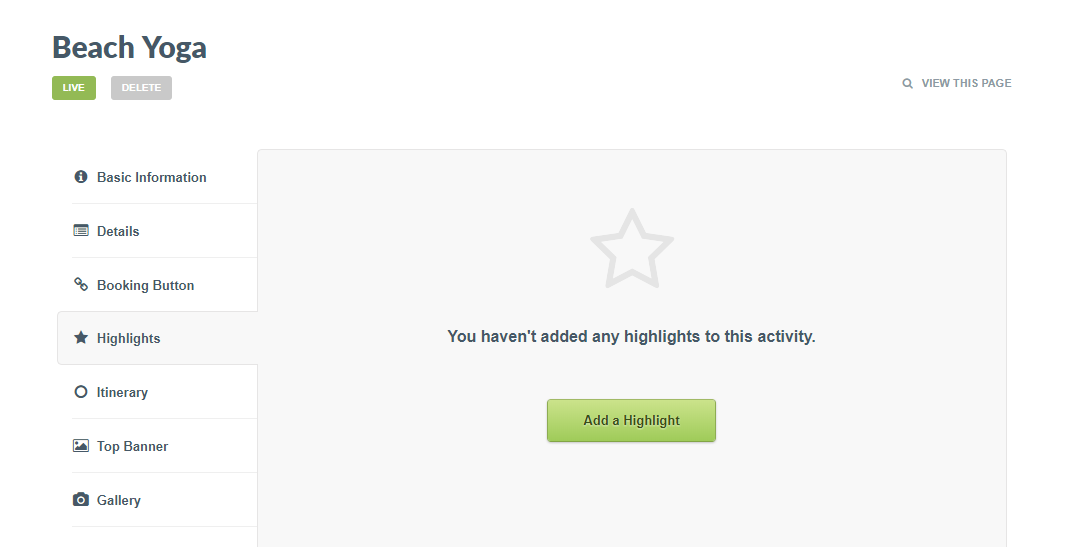
Step 2: Select Highlights in the left-hand menu > Click the Add a Highlight button
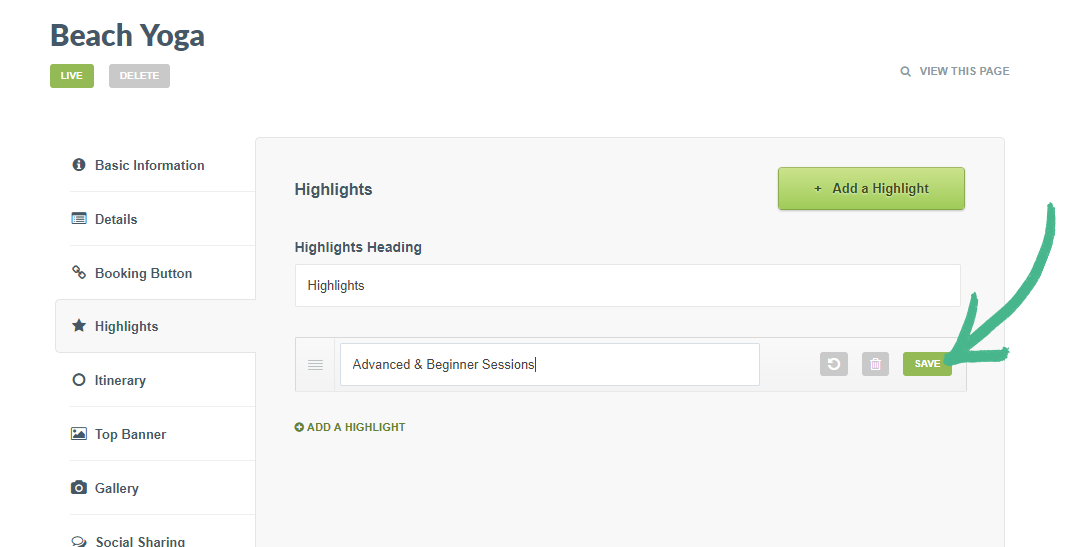
Step 3: Once you've added your Highlight > Click Save
Helpful Hint:
Learn how to showcase your tour or activities Itinerary here.
Was this article helpful?
Sorry about that! Care to tell us more?