
Using the AI Alt Tag Generator
Alt text is a short description of a photo. Visitors don’t see it, but it does three important jobs:
Screen readers read it aloud to people who can’t see the photo.
Search engines use it to understand your photos.
AI assistants like ChatGPT use it to understand what your property offers, so they can recommend you.
Writing alt text for every photo takes time. The AI Alt Tag Generator writes it for you in seconds, for one photo or up to 50 at once. You can then add the details only you know.
It can also write captions. These are different from alt text: visitors see a caption below the photo in full-screen view.
Write alt text for many photos at once
The quickest way is the button at the top of your photo library.
Step 1: Select the File Manager tab > The Photos section will automatically be selected
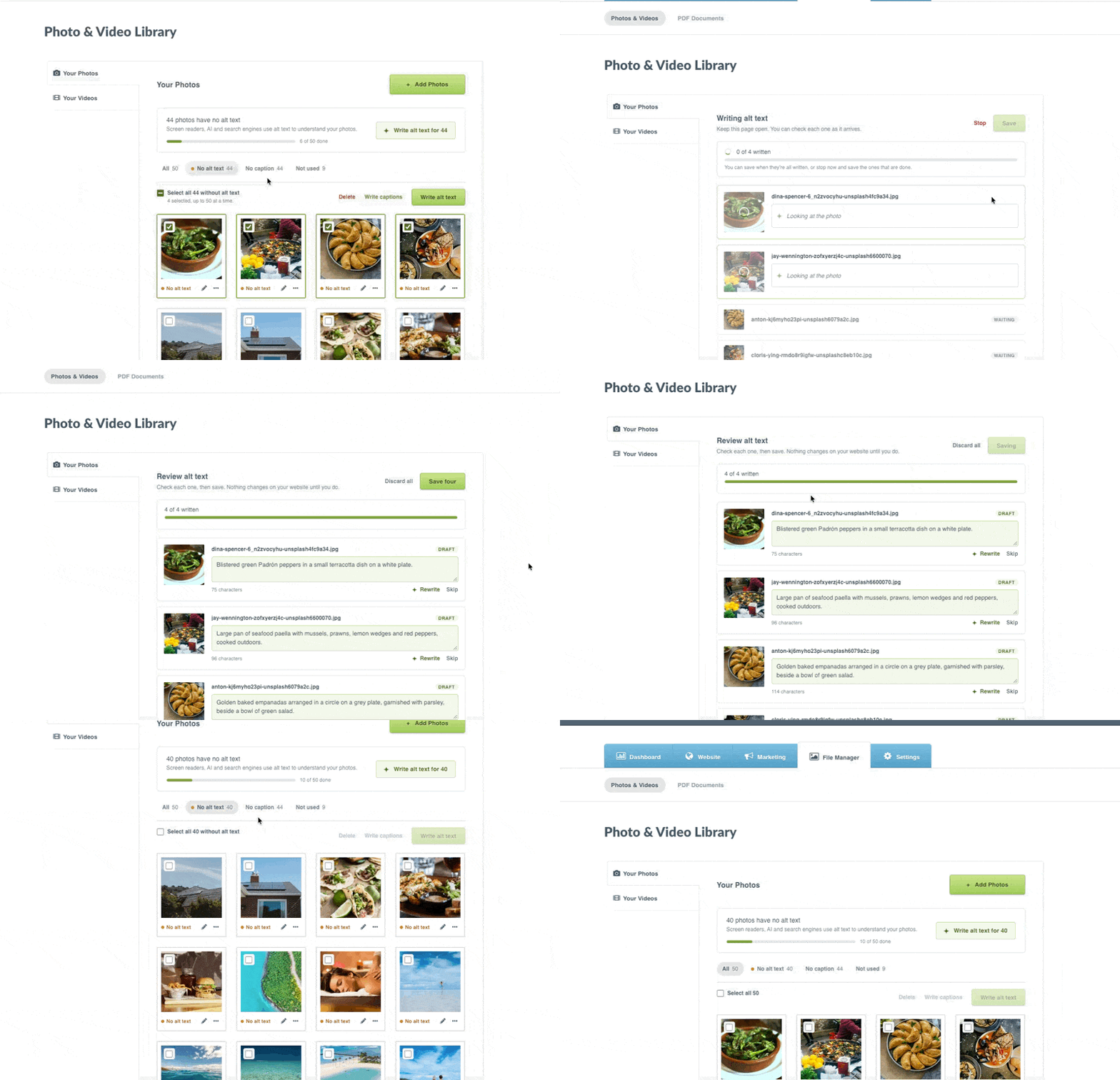
Step 2: At the top, you’ll see how many photos have no alt text > Click Write alt text for 50
The generator writes alt text for the next 50 photos without it. Click again to do the next 50.
To choose the photos yourself:
Step 1: Click No alt text to show only the photos that need it (optional)
Step 2: Select up to 50 photos. Click a photo or its checkbox, or click and drag across several photos
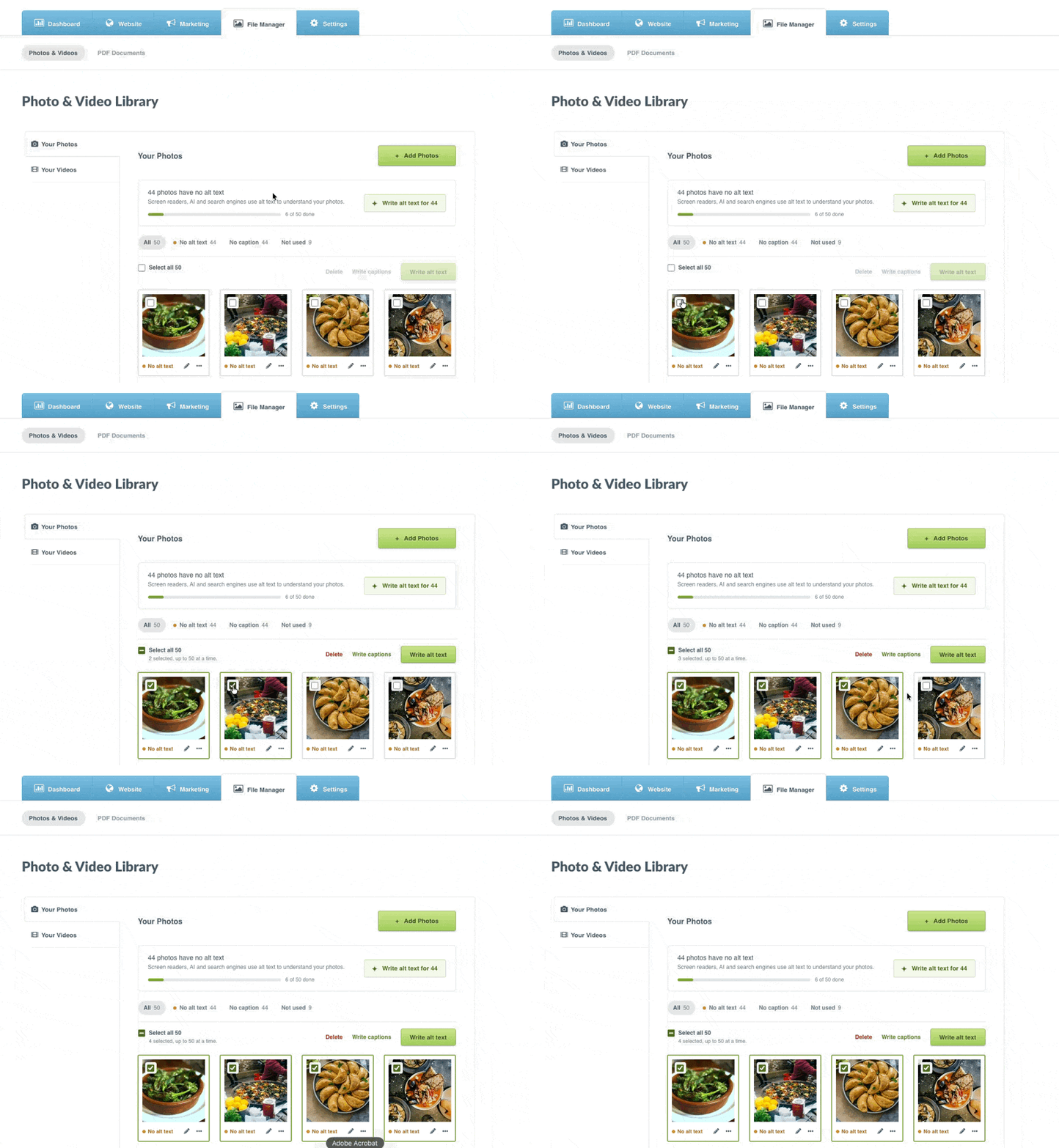
Step 3: Click Write alt text
Tip: Start with the photos guests see most: your Home page slider, rooms and main galleries. The Not used filter shows photos that aren’t on your website, so you can skip those.
Write a caption for photos
Visitors see a caption below the photo in full-screen view within areas like the main Gallery.
To write captions for several photos:
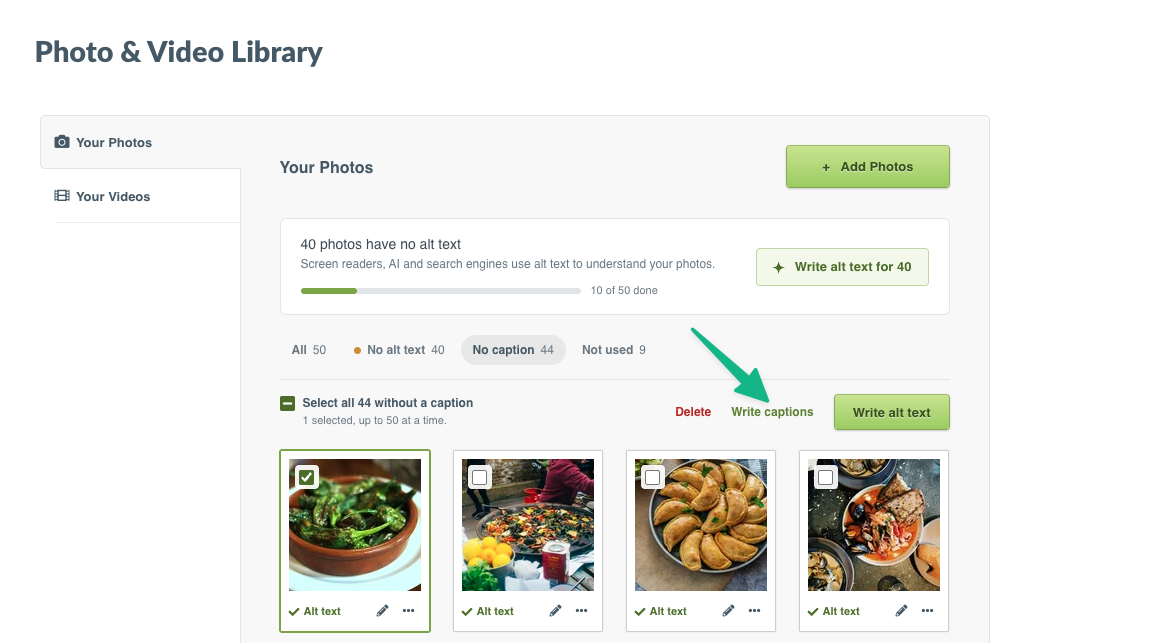
Step 1: Select the File Manager tab > Click No caption to show only the photos without one (optional)
Step 2: Select up to 50 photos. Click a photo or its checkbox, or click and drag across several photos
Step 3: Click Write captions
Good to know: The photo editor also shows Used on, which lists the pages the photo appears on. It’s a quick way to see which photos matter most.
Good to know
Available on every plan.
There’s a monthly allowance. Each website can generate 600 descriptions a month (alt text and captions combined). The allowance resets on the 1st of each month. Only successful generations count.
Up to 50 photos at a time. For more, run it again on the next batch.
AI describes what it sees. It can see a bed and a mountain view, but not the room’s name, that the pool is heated, or that the view is of Table Mountain. Add those details yourself for your most important photos.
Alt text and captions are separate. Generating one doesn’t change the other.
It may take a moment. When lots of people are using the generator, it waits and tries again automatically.
Tips for good alt text
Instead of | Try |
|---|---|
Bedroom | King bed in the Eagle View Cabin with mountain views |
Pool | Private heated plunge pool on the villa deck |
IMG_2045 | Guests around the fire pit at sunset |
Describe what’s in the photo, as you would to a guest on the phone.
Keep it to one short sentence.
Mention names and features guests search for: the room, the view, the activity.
Don’t start with “Photo of” or “Image of”. Screen readers already announce it’s an image.