
Deleting Videos from your File Manager
Edited
Important: Deleting a video from your File Manager removes this media across your entire website. Before deleting files from your File Manager, make sure that they are not used on slides or galleries that you would like to keep.
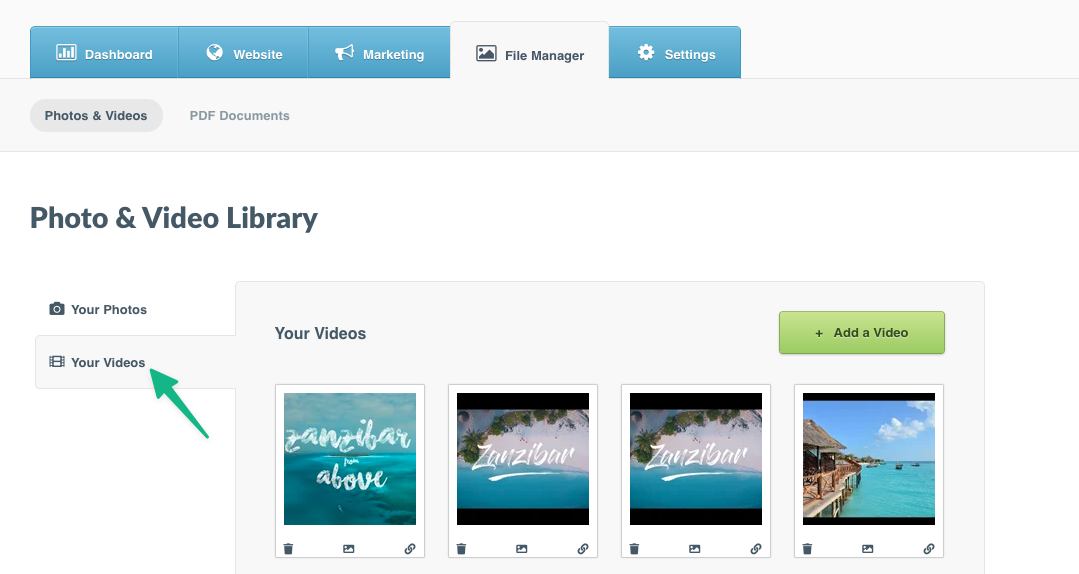
Step 1: Select the File Manager tab > Click the Your Videos section
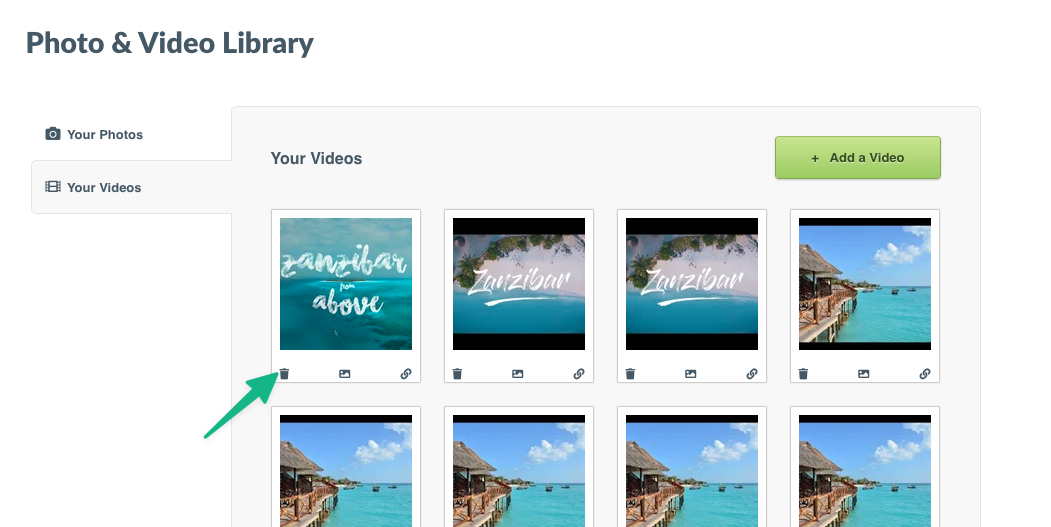
Step 2: In the Your Videos section in the left-hand menu > Find the photo or video thumbnail you would like to remove > Click the trash can icon in the bottom left-hand corner of the file's thumbnail
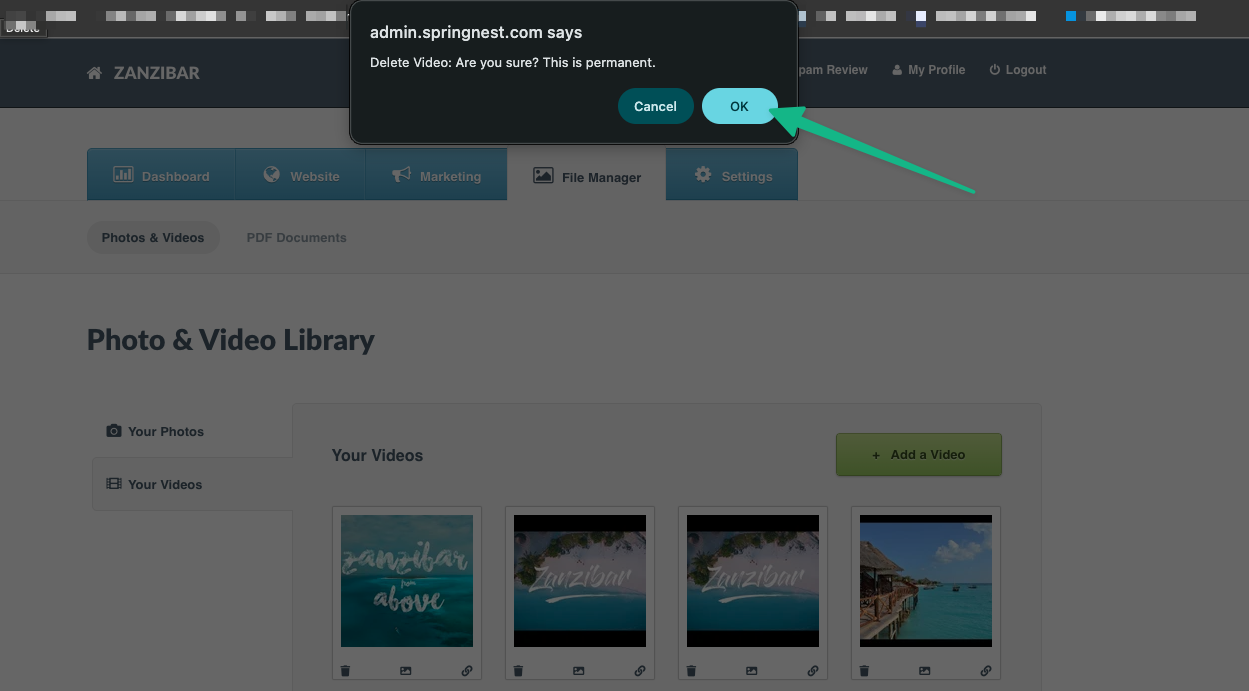
Step 3: A confirmation message will pop up > Click OK
Was this article helpful?
Sorry about that! Care to tell us more?