
Your llms.txt file, and how to write your own summary
Your website now publishes a short text file at yourdomain.com/llms.txt. It is a plain summary of your business written for AI assistants like ChatGPT, Claude and Google's AI Overviews. Instead of crawling your whole site and guessing, an assistant can read one page and get the facts straight from you.
It follows the llms.txt standard, which is new and still gaining ground. Publishing one costs you nothing and may help.
What is in it
Springnest builds the file from your site automatically:
Your name and description
Your contact details and address
Your main pages, taken from your menu
Your FAQs
How to see yours
Type your web address followed by /llms.txt into a browser. For example: https://www.yourproperty.co.za/llms.txt. There is also a link to it on the AI Visibility tab.
Adding your own summary
The generated file is factual but it does not have your voice. You can add a short summary in your own words, which is placed at the top of the file.
Go to Settings → AI Visibility.
Find Your llms.txt summary.
Write a few sentences describing your property as you would describe it to a guest on the phone.
Click Save.
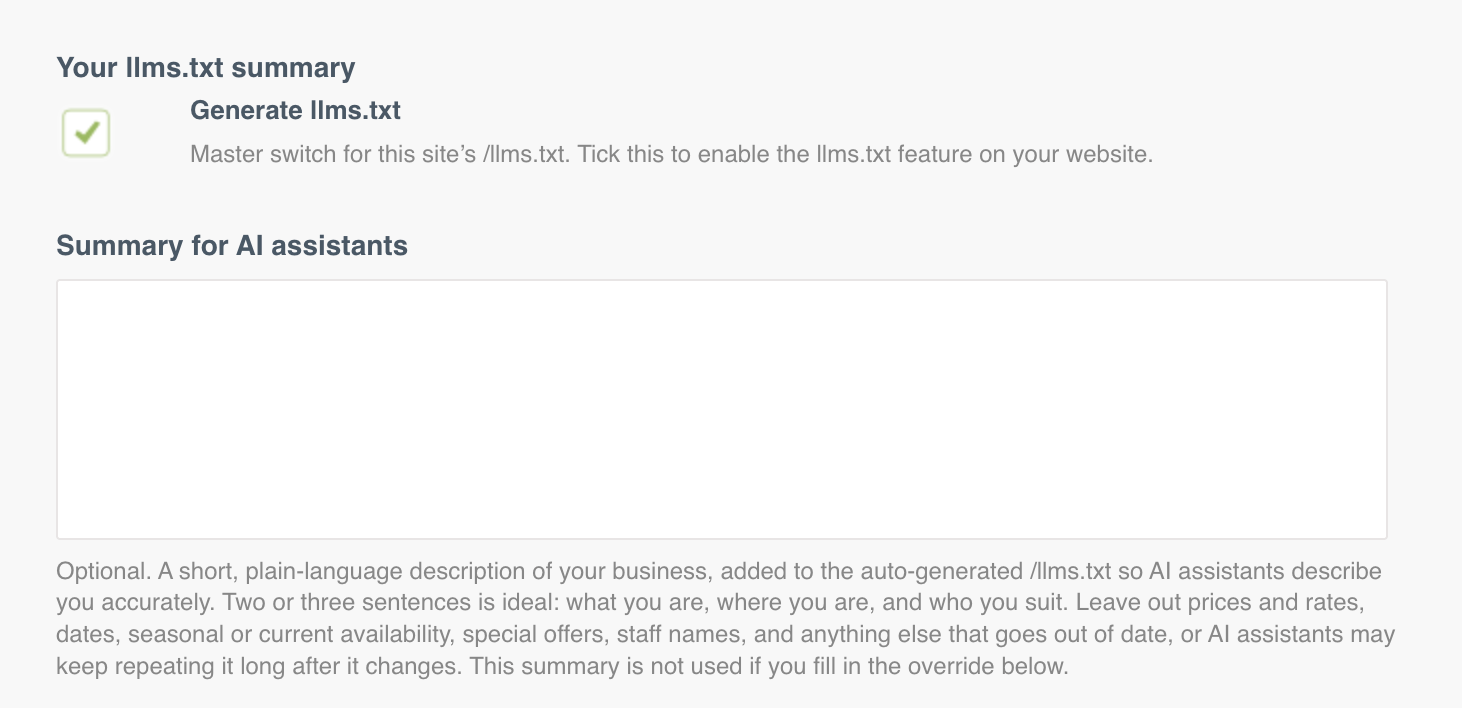
What to write. Be specific and factual. What kind of property you are, where you are, who you suit, what makes you different, and anything an assistant would otherwise get wrong. Two or three short paragraphs is plenty.
Good: "We are three self-catering apartment buildings, two in town and one on the coast. All units have full kitchens and free parking. We suit families and longer stays rather than one-night stopovers."
Less good: "We offer a world-class hospitality experience in a stunning setting."
The first one gives an assistant facts it can use to match you to a guest's question. The second gives it nothing.
Switching the file off
You can switch the file off on the same tab. When it is off, yourdomain.com/llms.txt returns nothing. Most properties should leave it on.