
Choosing how AI tools may use your content
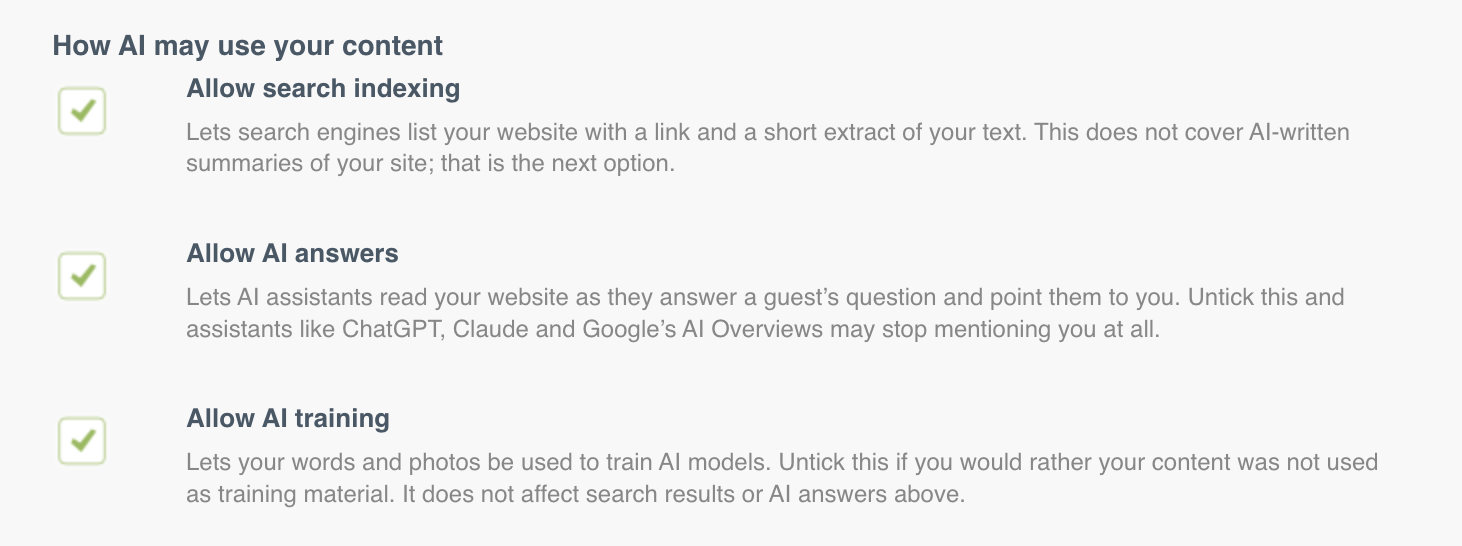
You can now state how AI tools may use your website's content. Three tick boxes on the AI Visibility tab cover the three different things an AI company might do with your site.
You have three choices
Go to Settings → AI Visibility and look under How AI may use your content.
Tick box | What it covers |
|---|---|
Allow search indexing | Your site can be included in search results, including AI-assisted search results. |
Allow AI answers | An AI assistant may read your site to answer someone's question, usually with a link back to you. |
Allow AI training | Your content may be used to train AI models. |
All three are ticked on by default, for every existing and new site. Nothing about your website changed when we added this. If you want to be found and recommended, leave them as they are.
What happens when you save
Every website has a file that automated visitors check before they read it. When you save, we add one line to that file saying what you have allowed and what you have not.
If you untick anything, we add a standard legal sentence next to it, saying plainly that you have not given permission. It is worded the way European copyright law expects, so an AI company cannot claim it did not know.
The wording follows the Content Signals standard, published by Cloudflare.
An important limit
These are stated preferences, not blocks. They tell AI companies what you permit. Companies that respect the standard will follow it. Nothing here technically prevents a company that ignores it from reading your site.
If you need content genuinely kept out of AI tools, it should not be on a public website.
Before you untick anything
Think about what each one costs you.
Turning off search indexing removes you from search results. Almost nobody should do this on a live site.
Turning off AI answers means assistants may not use your website when a guest asks a question you could have answered. This is where direct bookings are increasingly starting.
Turning off AI training is the least costly of the three. It has no effect on whether you appear in AI answers today.
Give it a few hours
Your robots.txt file is cached at the edge of the network for around four hours. Saving the form clears your own site's cache, but you may still see the previous version for a while. This is normal.
Note: sites that are not yet launched do not publish these signals at all. Their
robots.txtalready tells every automated visitor to stay away.