
Adding images or videos to the Gallery Widget on your website
Edited
The Gallery Widget is a simple way to display images or videos in the sidebar of your website.
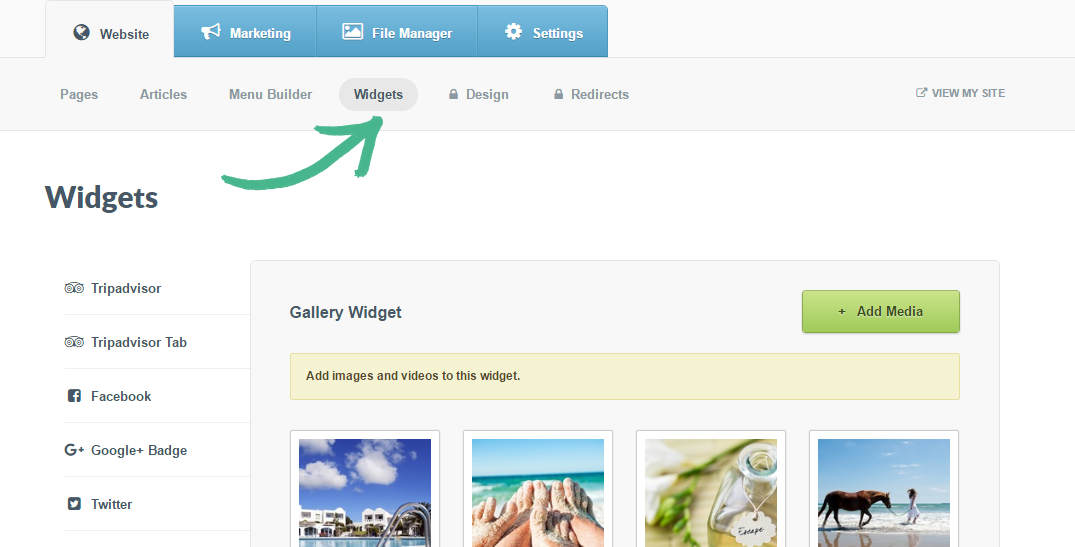
Step 1: Select the Website tab > Click Widgets > In the left-hand menu select Gallery
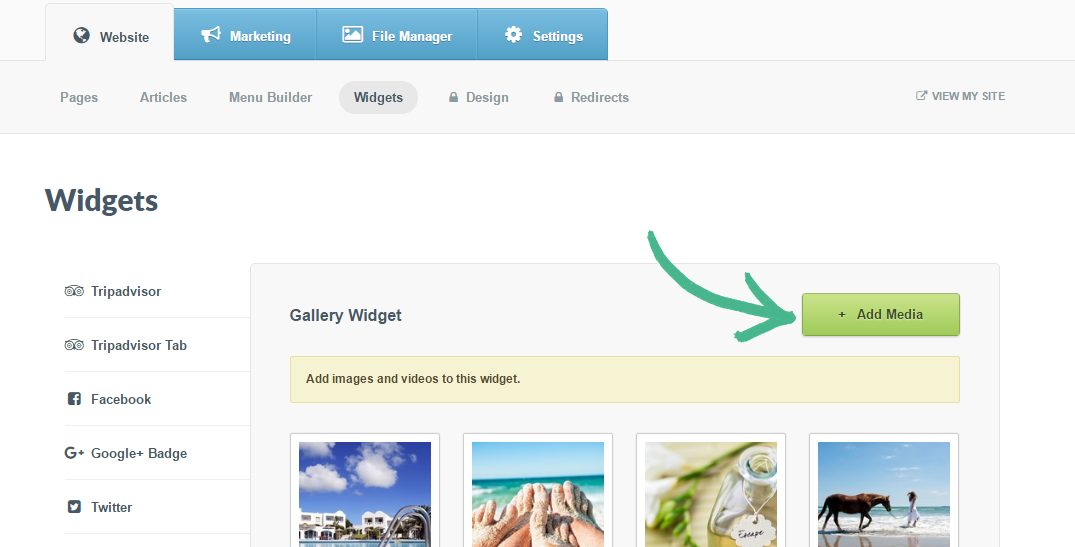
Step 2: Click the +Add Media button
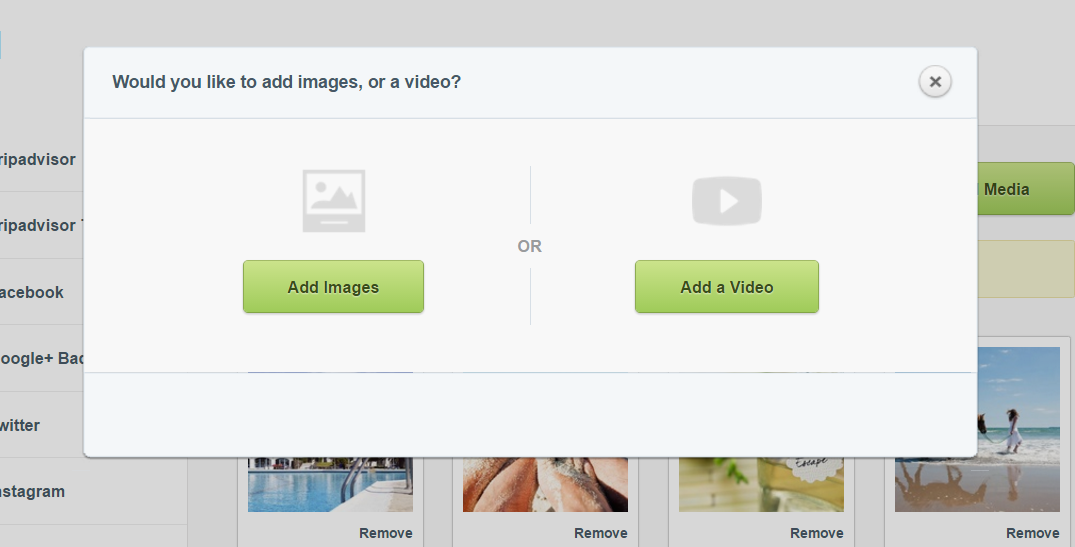
Step 3: A pop-up window with two options will appear Add an image or Add a video > Select the relevant option > Specify whether you want to upload photos from your computer or add them from your library > Once complete, click Done
Step 4: Click Save
Was this article helpful?
Sorry about that! Care to tell us more?