Building a Contact Form on your website
Contact pages allow you to build a form which can be used as a reservation form or as a general contact form, depending on the fields you add. It will also display the contact details you add in the general Settings area.
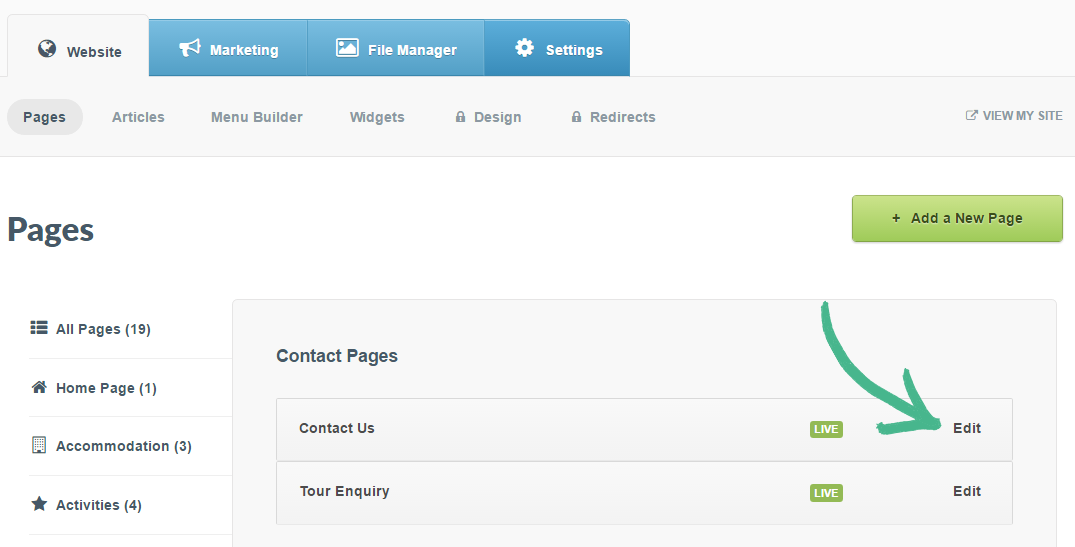
Step 1: Click the Website tab > Click Pages > Select your Contact page in the left-hand menu > Click Edit
Note: If you do not have an existing contact page, create a new contact page by clicking the +Add New Page button
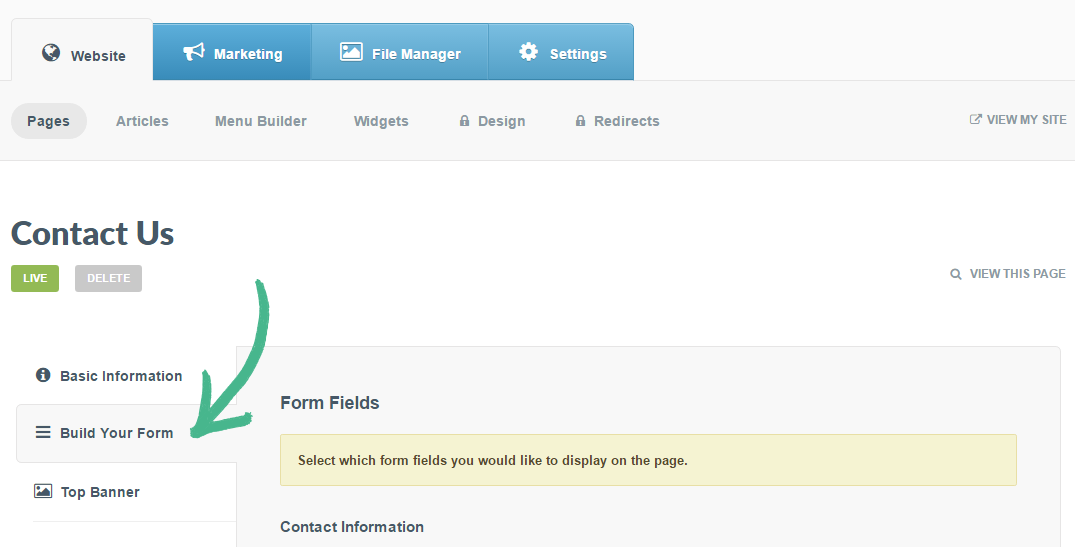
Step 2: Select Build your Form in the left-hand menu > Form Fields will be displayed
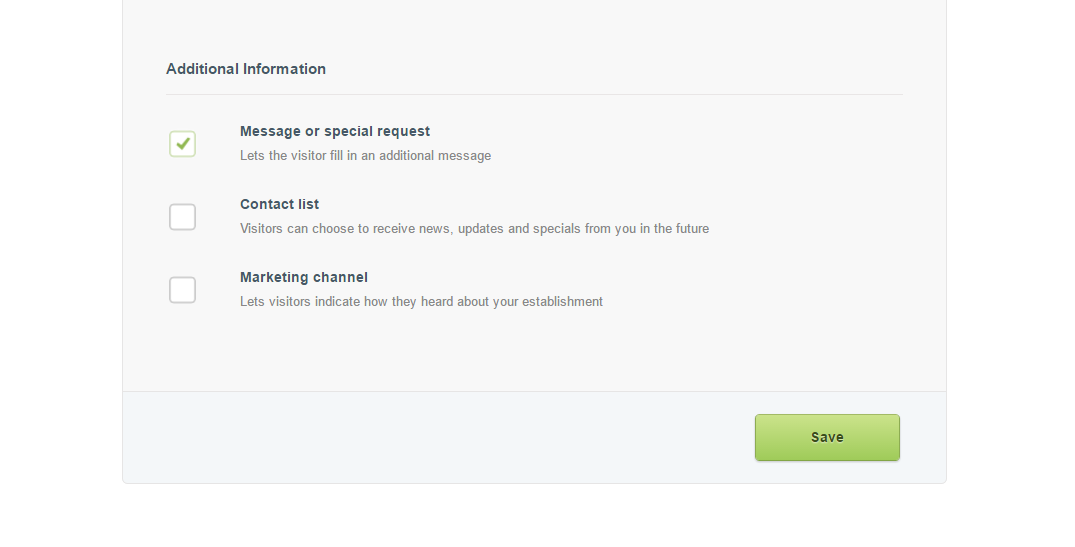
Step 3: Once you've selected the information you would like in your form > Click Save
Building a Form is split into 3 sections:
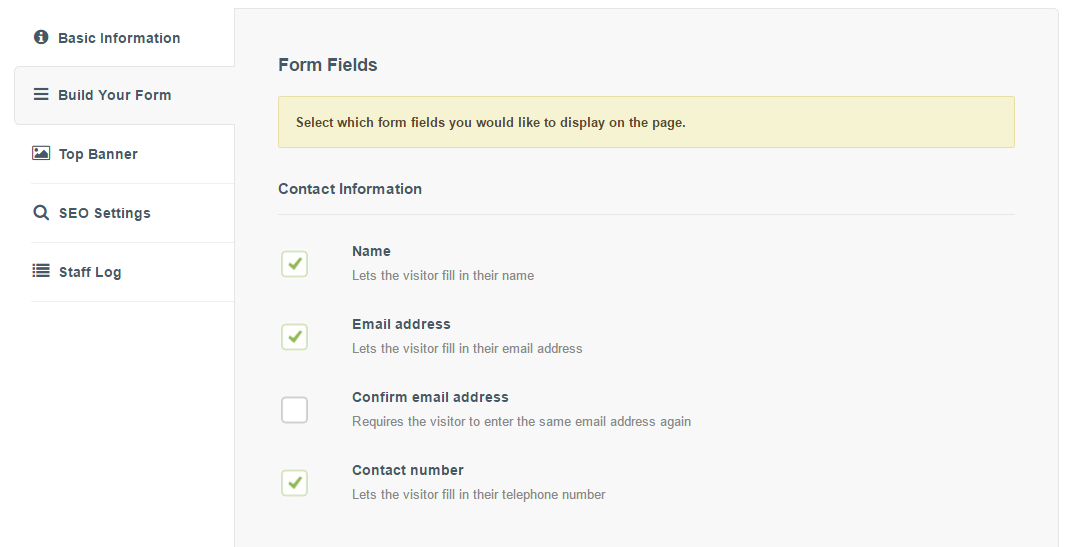
Section 1
Contact Information > There are 4 items which you can add to your form, tick the relevant boxes you would like to be included in your form
Section 2
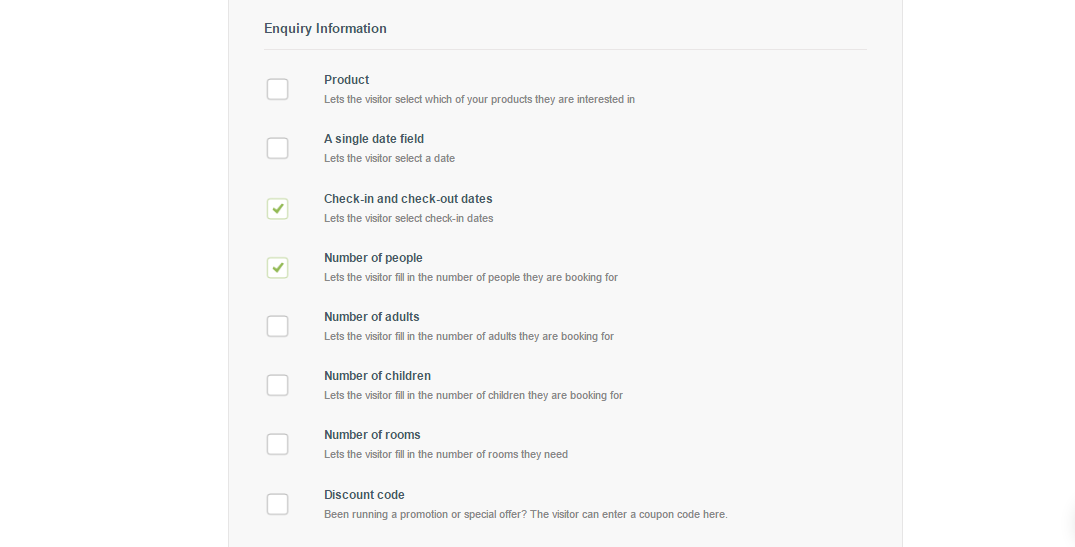
Enquiry Information > There are 8 items which you can add to your form, tick the relevant boxes you would like to be included in your form
Section 3
Additional Information > There are 3 items which you can add to your form, tick the relevant boxes you would like to be included in your form