
Adding images to a Gallery within a Page
Edited
When creating a new Accommodation, Activity, or a Canvas page, you are able to add a Gallery to the page.
Here's our guide on how to add images to a Gallery within a Page
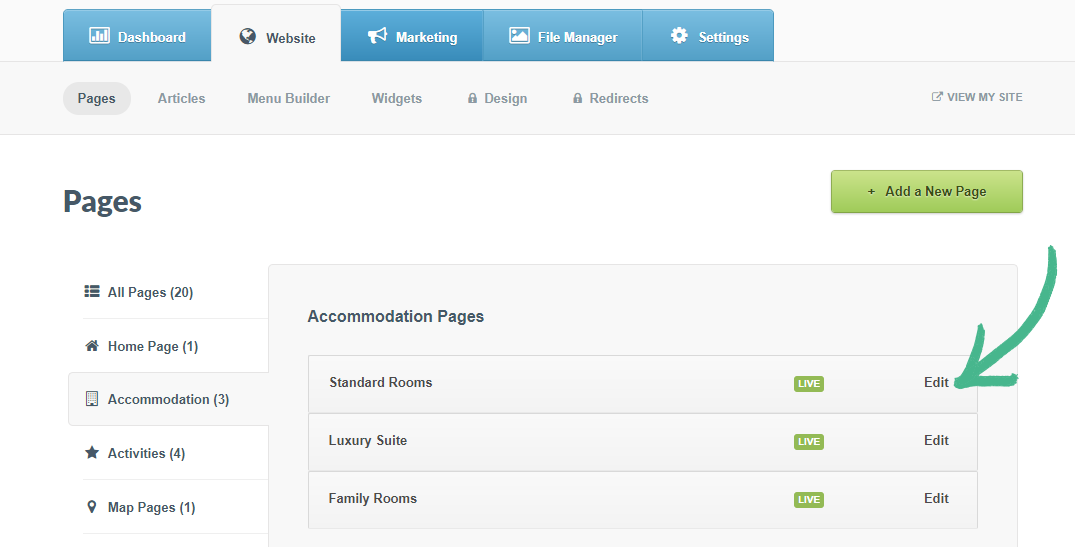
Step 1: Select the Website tab > Click Pages > Find the page you would like to add a Gallery to, click Edit
Step 2: Select Gallery in the left-hand menu > Click the +Add media Button
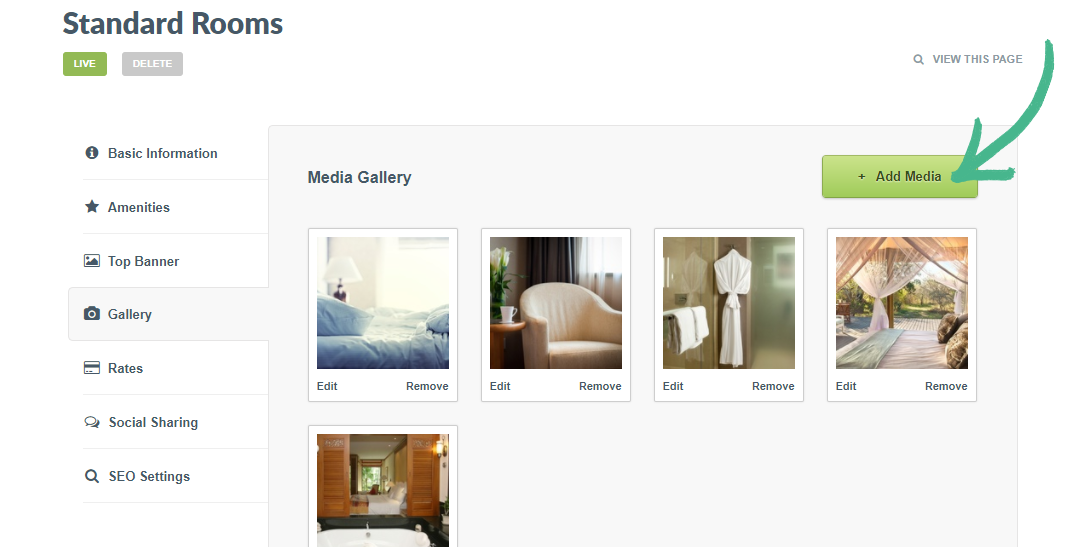
Step 3: You are able to: Upload from Your Computer or Choose from my Library
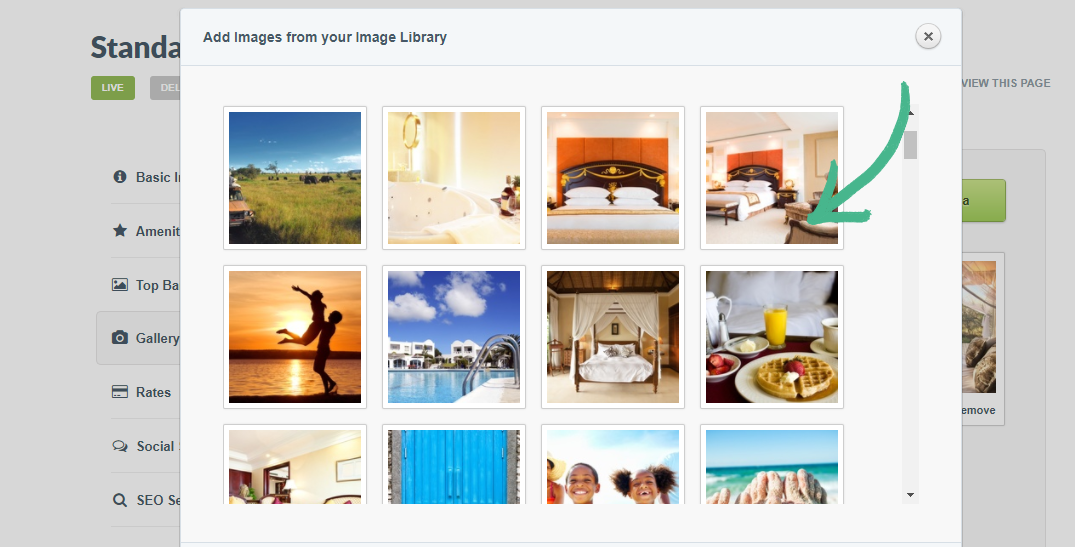
Step 4: Select the images you would like to add > Click Done
Helpful Hint
Adding images is a great way to showcase your room images, tour images or anything relating to the page. However adding too many images, may overwhelm the page. For consistency stick to a specific limit such as 3 - 4 of the best images per page Gallery.
Was this article helpful?
Sorry about that! Care to tell us more?