
Edit the layout and appearance of Gallery pages
Edited
Do you use multiple gallery pages on your website? Just a friendly reminder: if you decide to change the layout option on any of your pages, the new layout will be applied to all of them. This means that gallery page layouts are universal, and you can't have different layouts for different gallery pages.
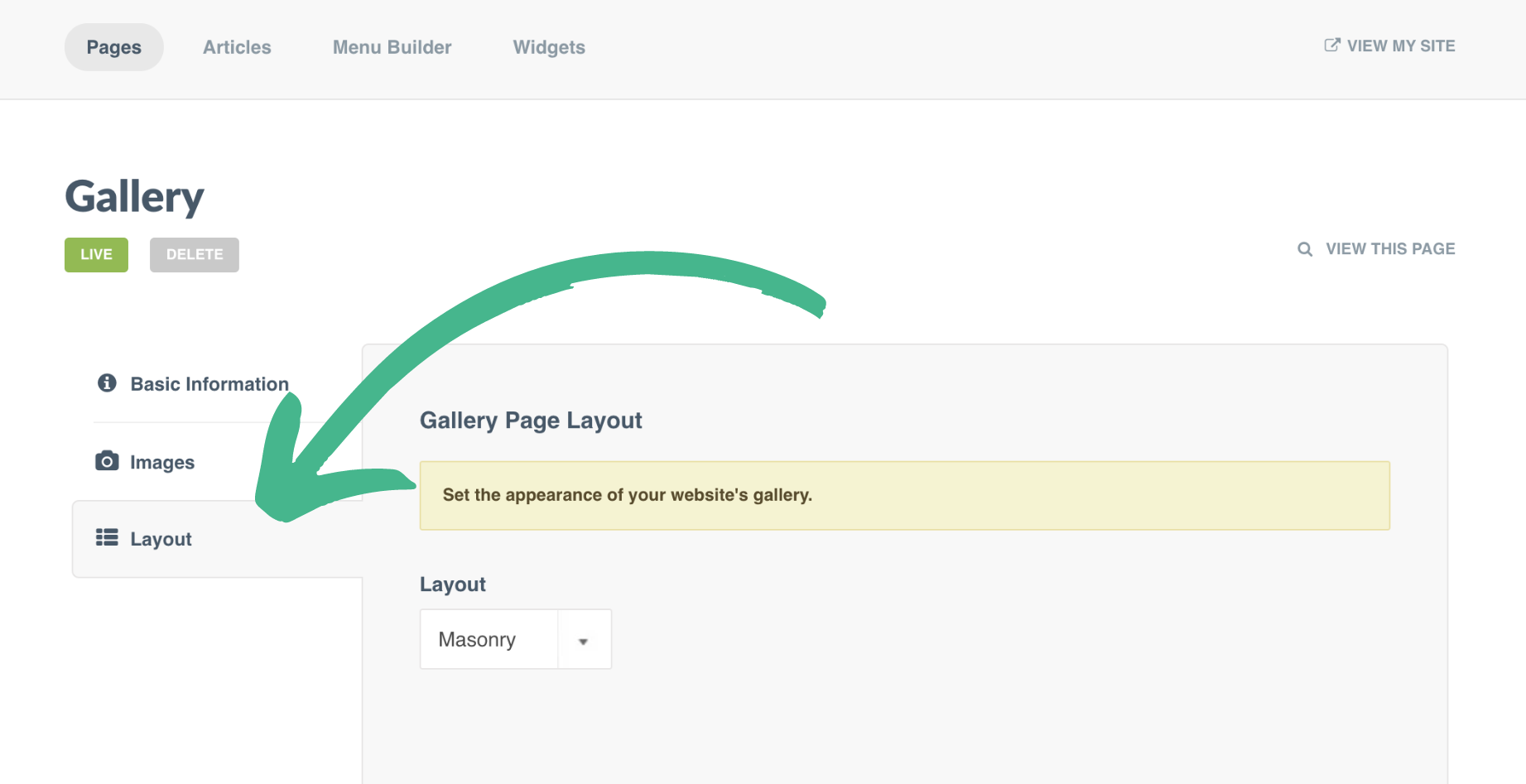
Step 1: Edit your Gallery Page, and select Layout from the lefthand menu
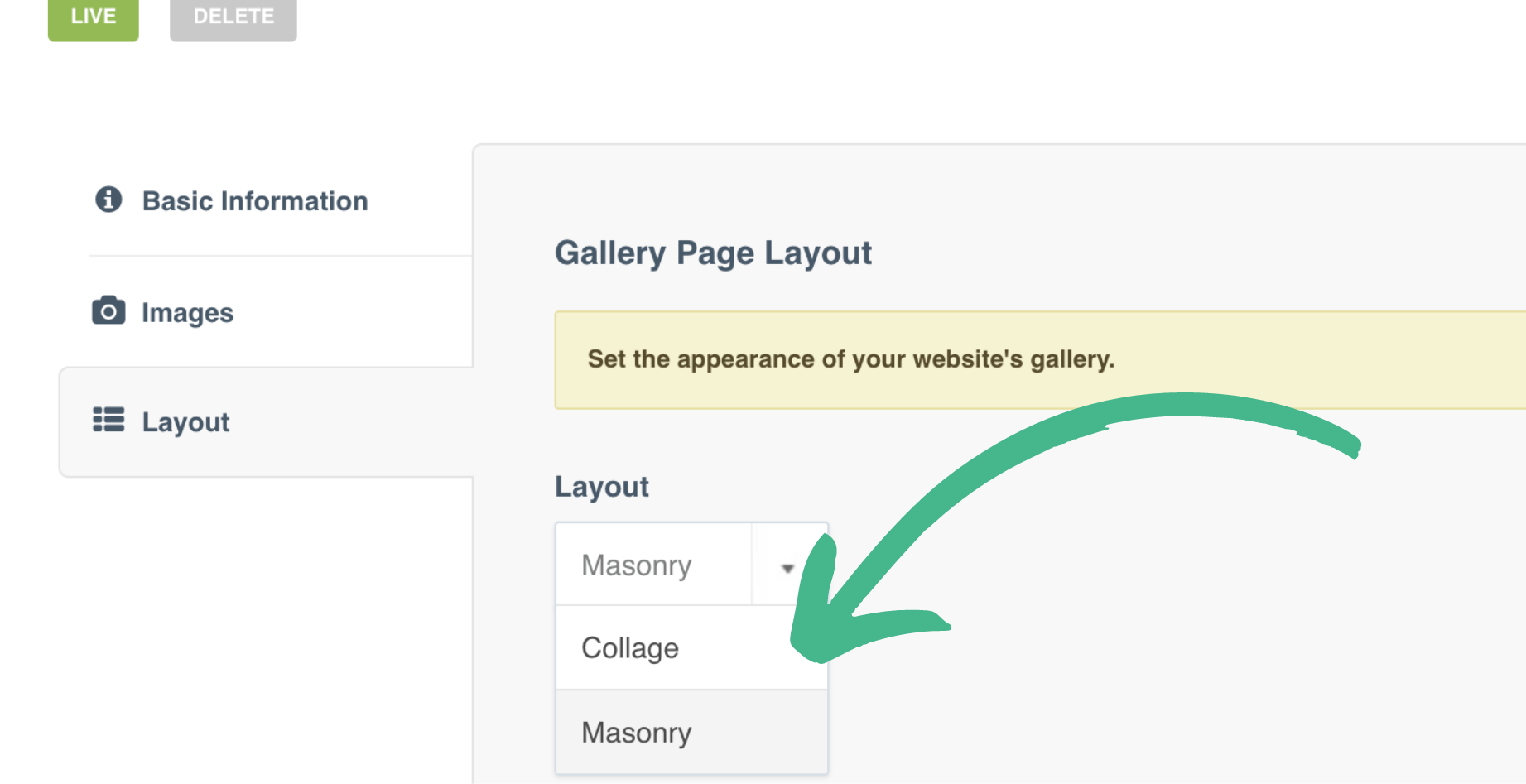
Step 2: Use the Dropdown to select your layout preference
Step 3: Save and view your changes
Was this article helpful?
Sorry about that! Care to tell us more?