
Where to Find your Meta Pixel (Previously Facebook Pixel)
What is Meta Pixel? Pixel is an Advertising tool that tracks visitor activity on a website to help Facebook understand and target users for ads. For example, if a visitor views a room or tour, Pixel can read that information so you can show ads for the room, tour, or a special offer to that same visitor.
Important: This feature is recommended for experienced marketers with Facebook Advertising knowledge. While we do not offer Facebook Advertising advice or support, you can browse Springnest-approved Gurus who do.
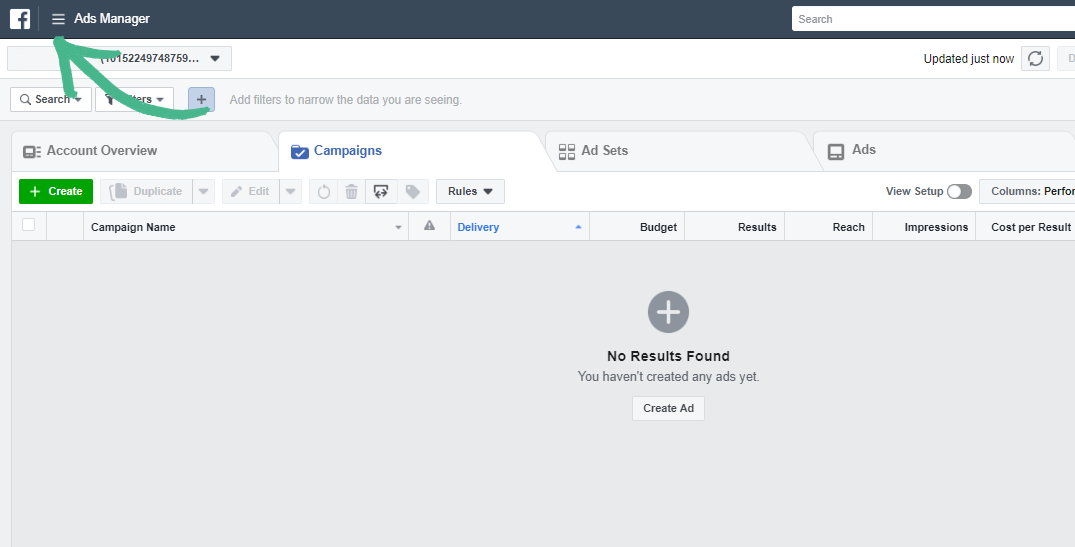
Step 1: Open your Facebook Ads Manager > Click the Navigation Menu
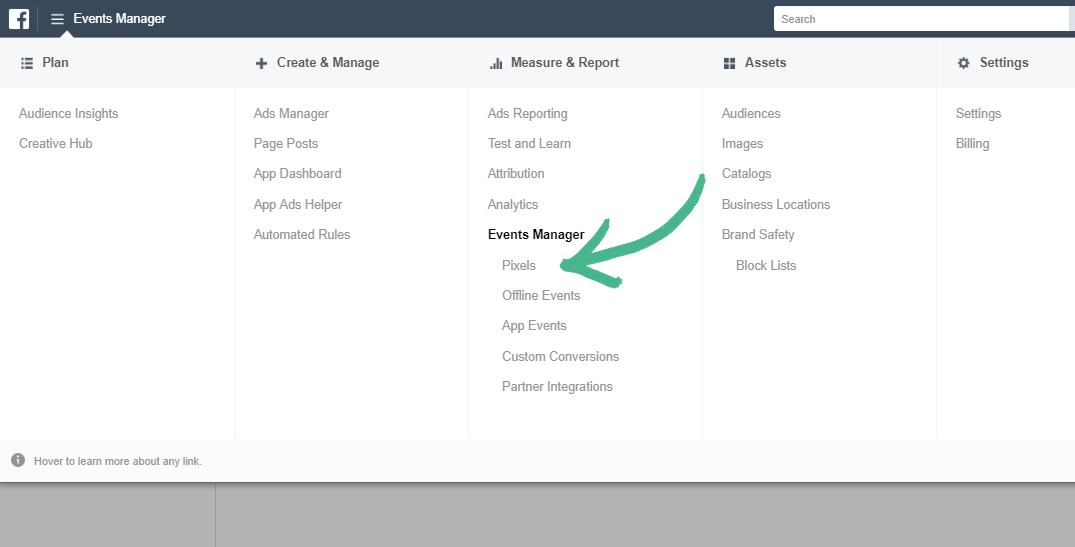
Step 2: Under Measure and Report click Pixels
Step 3: Copy your Facebook Pixel ID
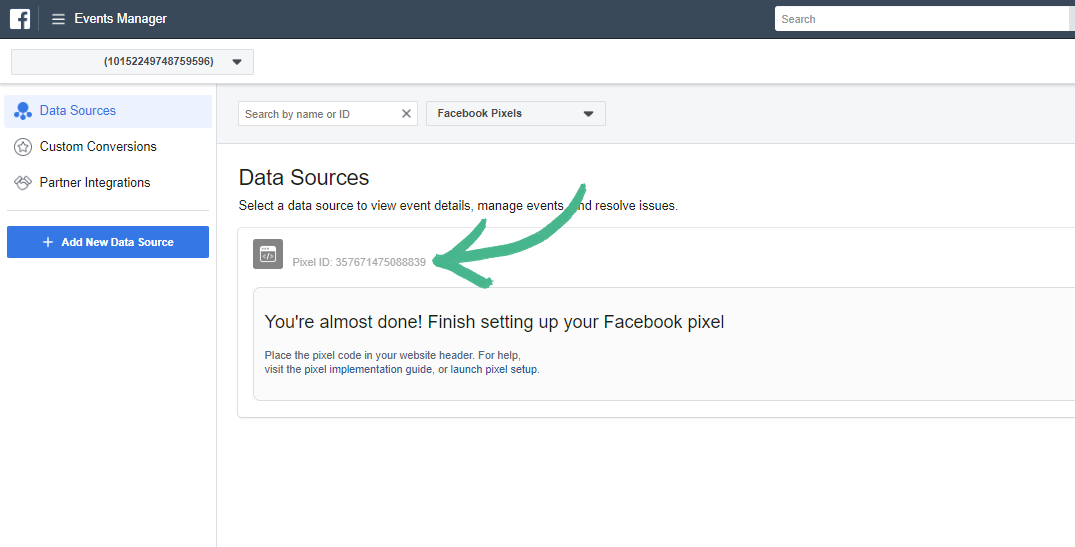
Note: If you have already created your Facebook Pixel you will see your Facebook Pixel ID