
Adding awards and badges to the Awards Widget
Edited
The Awards widget allows you to add HTML awards and badges from third parties to your website's floating Awards Tab on the right-hand side of your website.
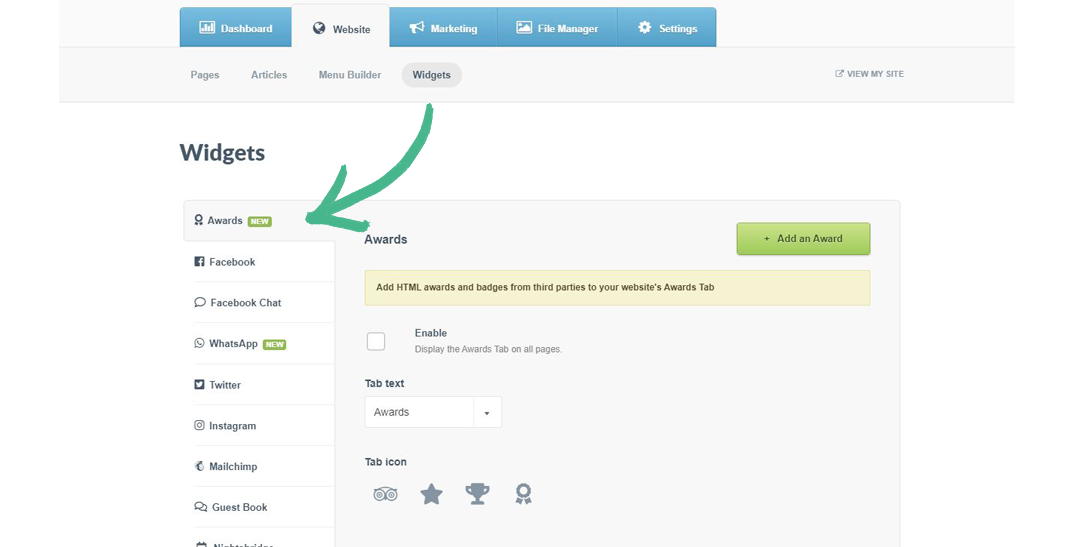
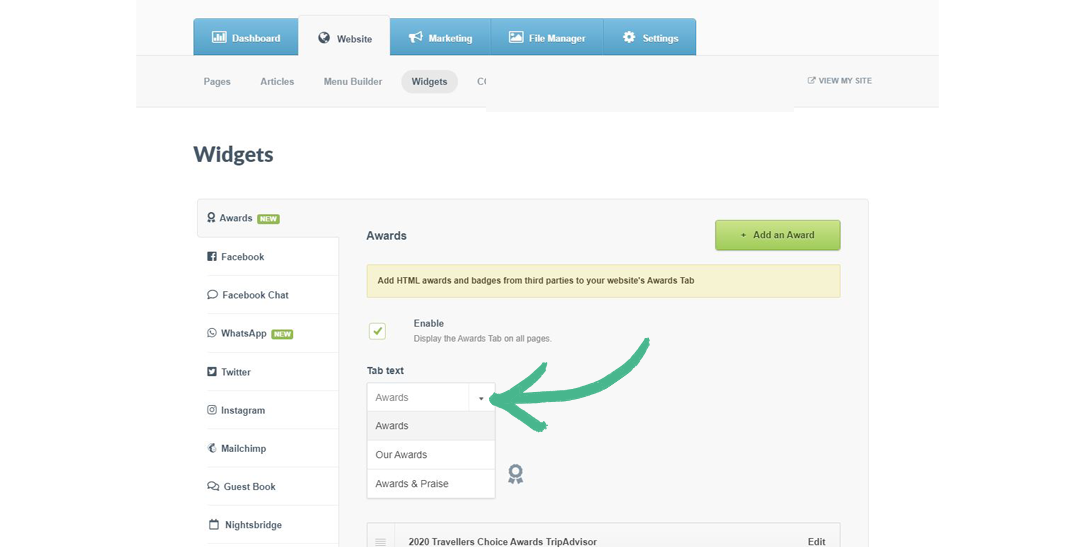
Step 1: Select the Website tab > Click Widgets > Select Awards from the left-hand menu
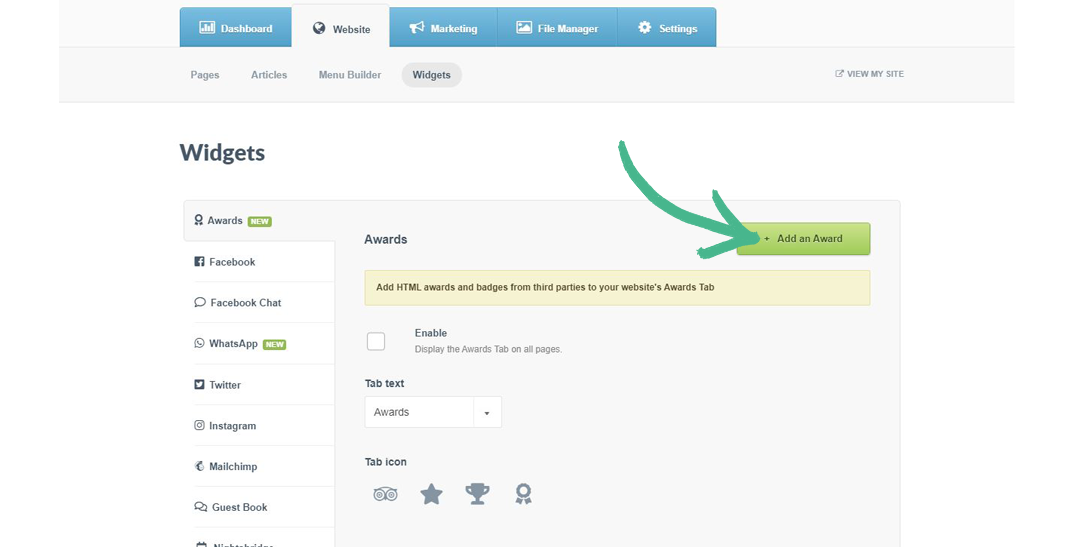
Step 2: Click the +Add an Award button
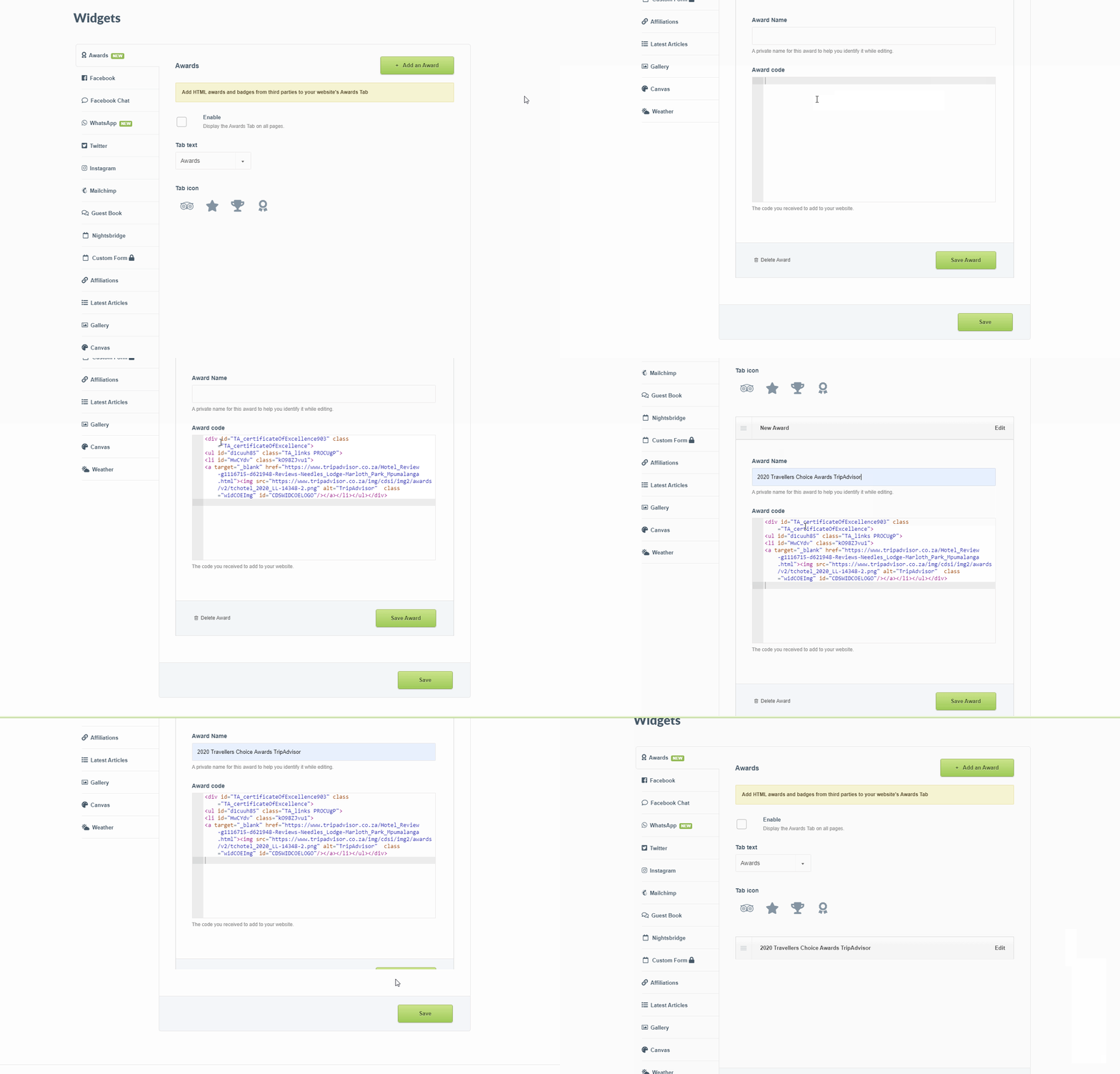
Step 3: Paste the Award code into the field > Click Save Award
Step 4: Select the Enable box
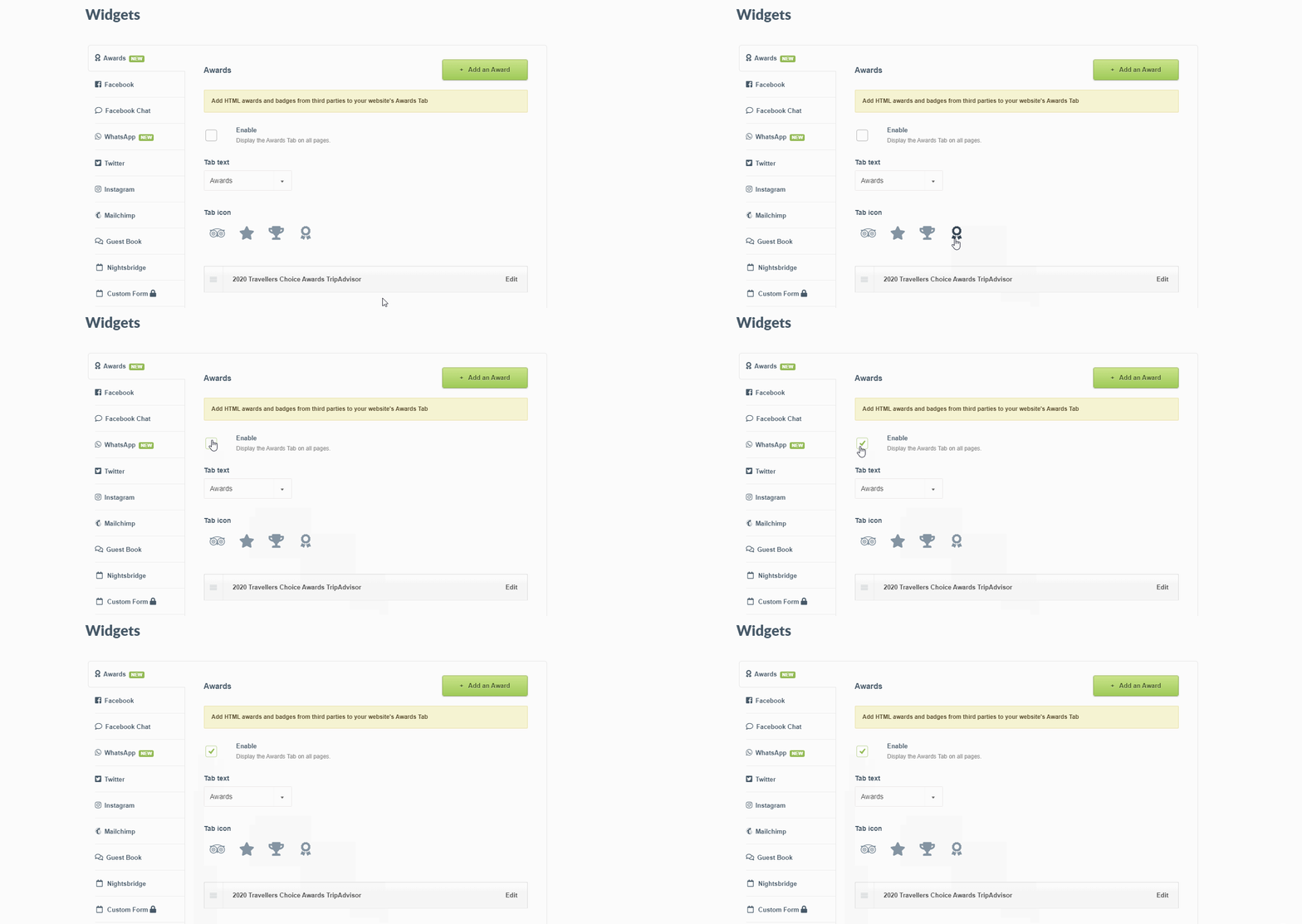
Step 5: Click the drop-down arrow to select your Tab text > Choose from one of the three options
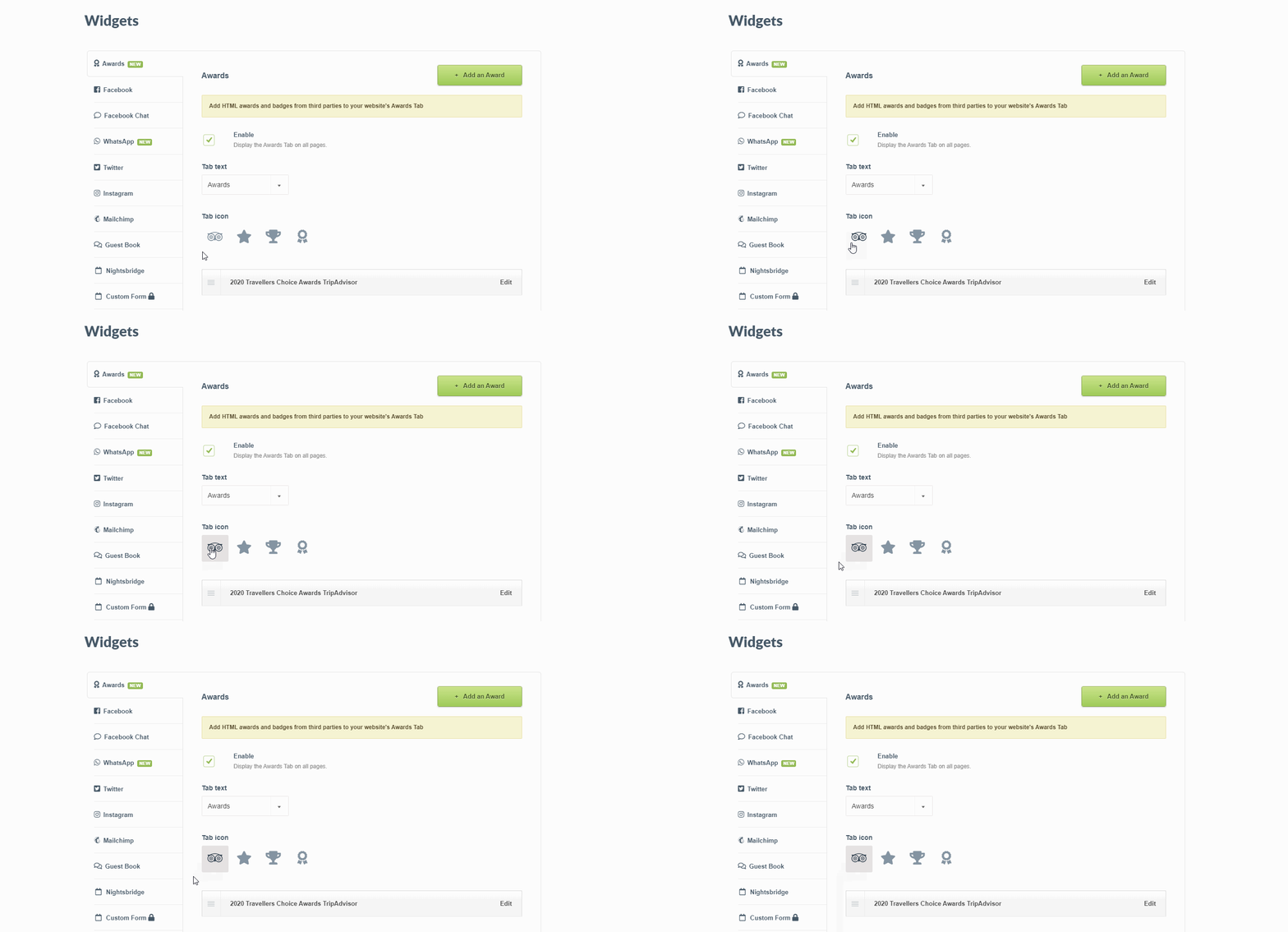
Step 6: Select a Tab icon (this depends on the type and number of awards you will be adding)
Step 7: Click Save at the bottom of the page
Here's a Preview of the Awards Widget:

Was this article helpful?
Sorry about that! Care to tell us more?