
Linking Special Offers to NightsBridge using "Straight-to-the-rate" links
NightsBridge designed a useful feature called "straight-to-the-rate link". This feature allows you to obtain a direct URL/link to a special offer built on your NightsBridge platform - which can be used within email campaigns, social media as well as Special Offers built on your Springnest website.
How to link Special Offers to NightsBridge using "Straight-to-the-rate" links:
Step 1: Open your NightsBridge setup > Click on Specials & Packages > Click on a Special you have created > Copy the URL/link from the Package Code section (view a detailed guide via NightsBridge here)
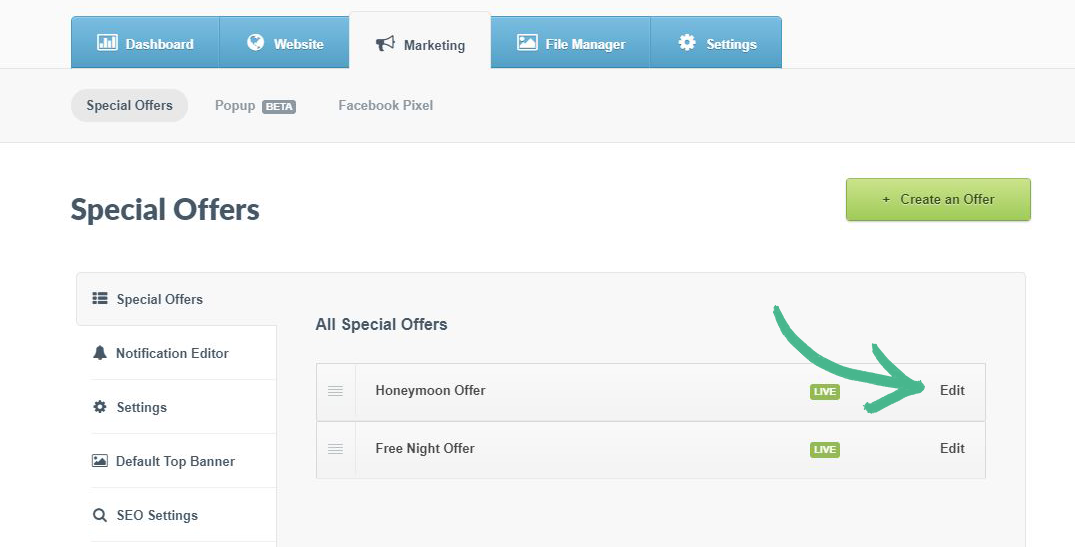
Step 2: Navigate to Marketing tab > Special Offers in Springnest > Click Edit next to an existing offer
Step 3: Click Booking button in the left-hand menu > Click the drop-down arrow and Select Custom URL > Paste the URL/link from NightsBridge into the Custom Link Address field
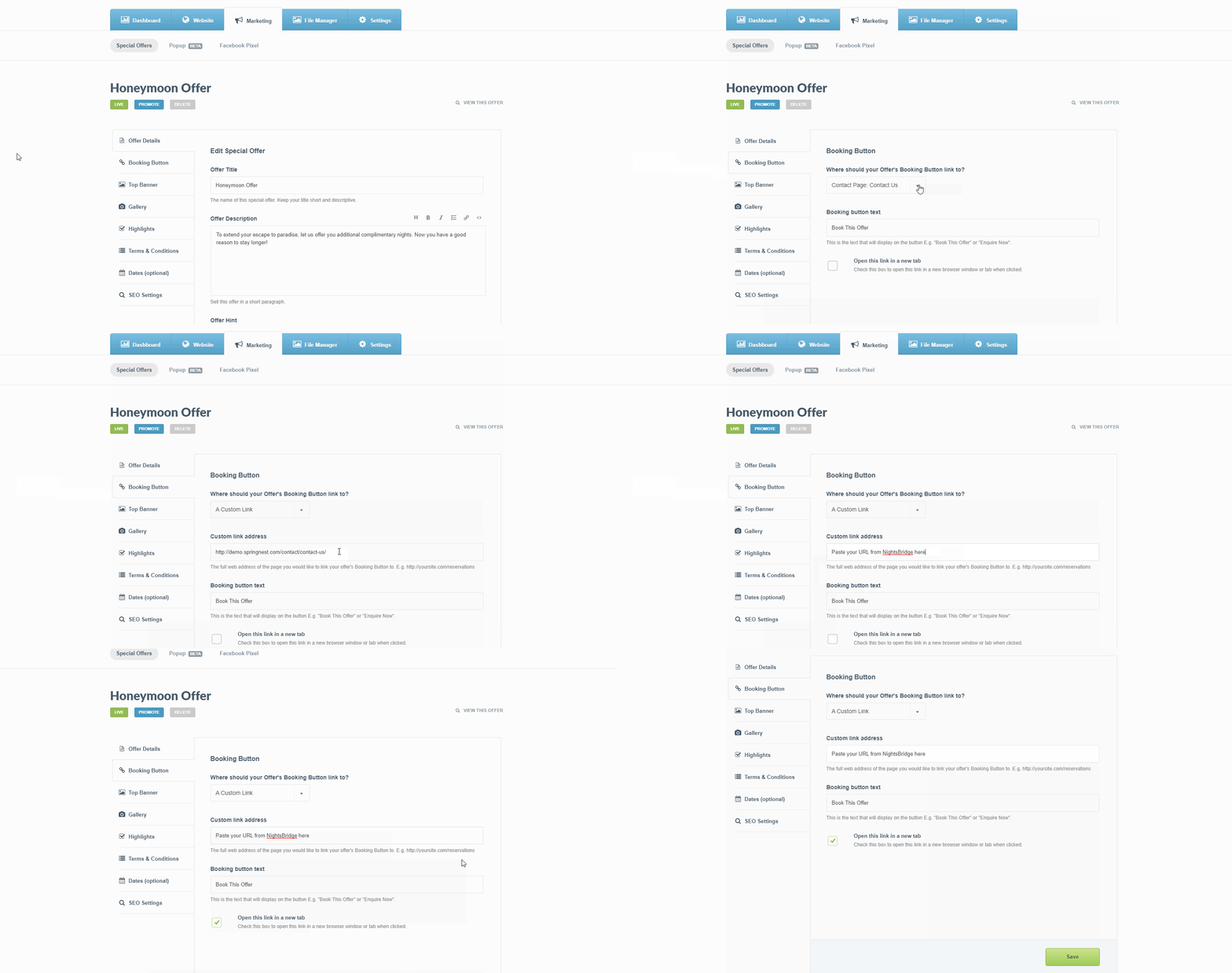
Step 4: Click Save