
How to add a Google Analytics 4 Measurement ID or Google Tag Manager ID
Edited
Google Analytics 4 (GA4) is the next generation of Analytics that collects event-based data from websites and apps. Use this guide to add your GA4 Measurement ID or Google Tag Manager ID to your website.
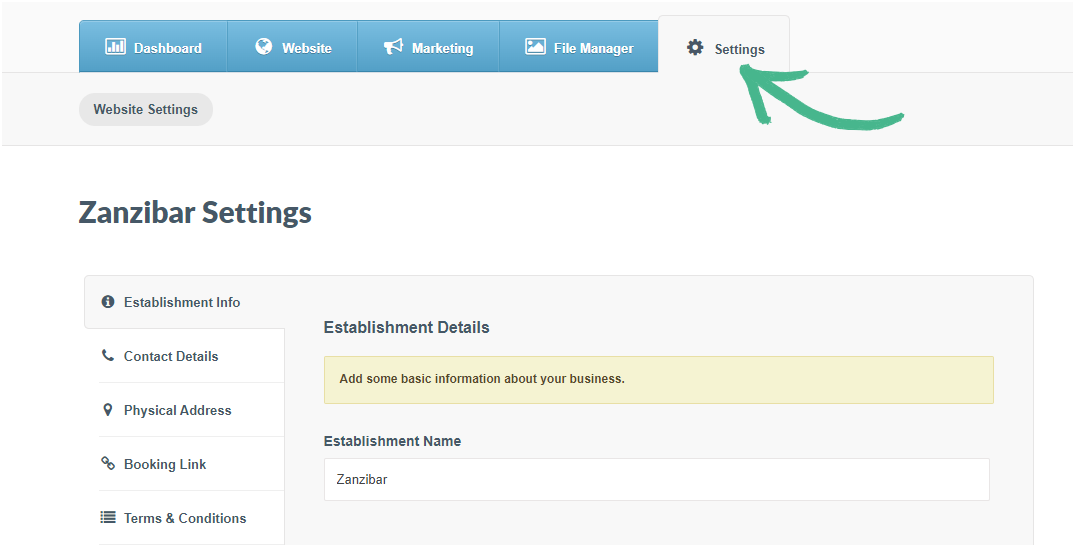
Step 1: Navigate to the Settings tab
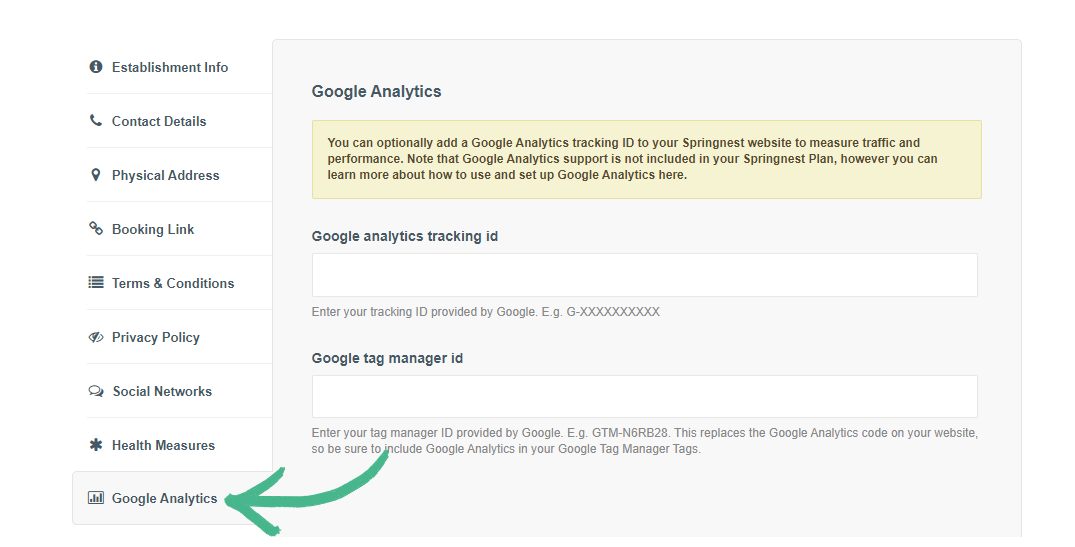
Step 2: Click the Google Analytics section in the left-hand menu
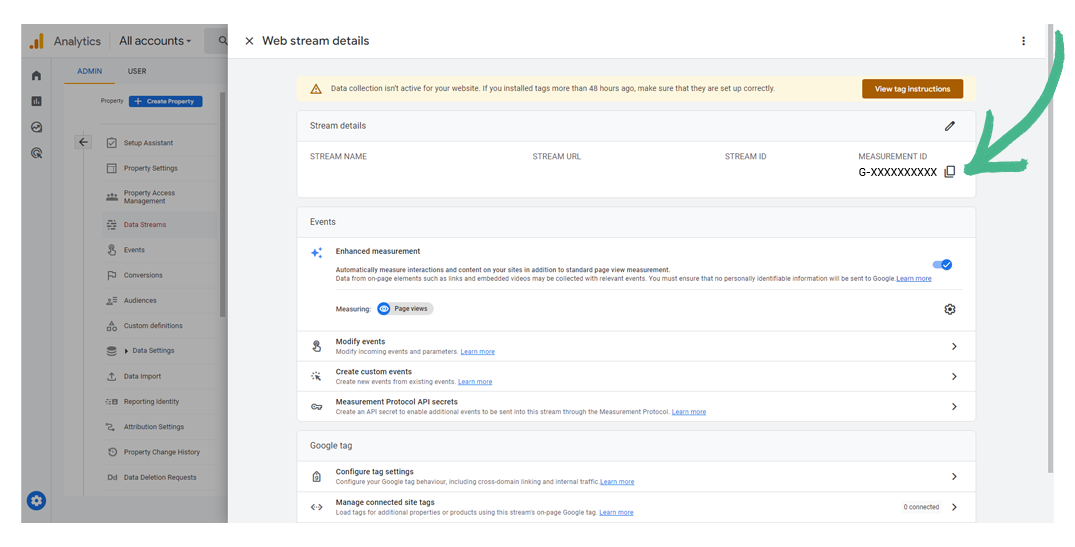
Step 3: Copy your GA4 Measurement ID or your Google Tag Manager ID
Step 4: Paste either the GA4 Measurement ID or your Google Tag Manager ID into the relevant field
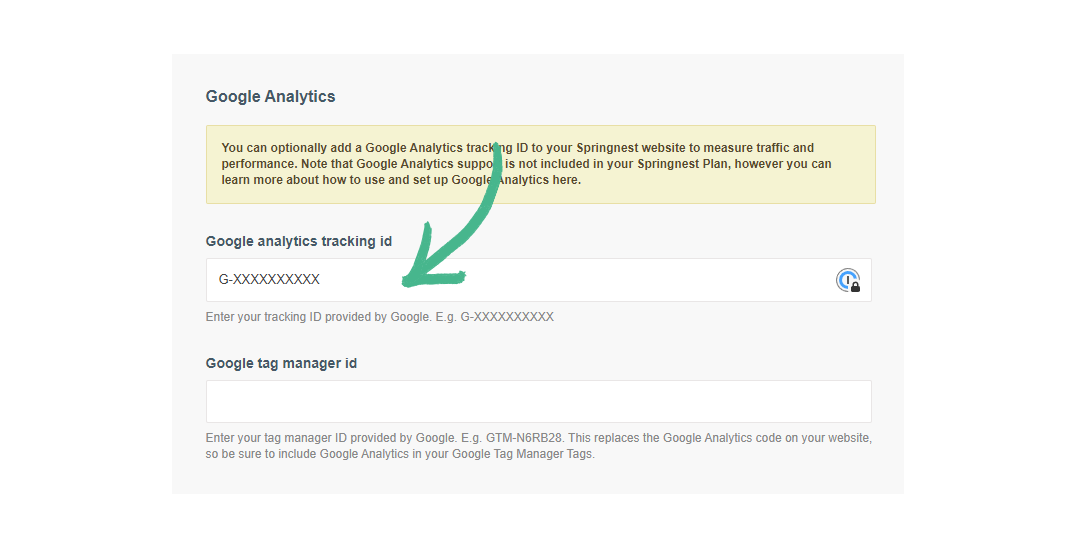
If you have entered your Google Tag Manager ID, provided by Google (e.g., GTM-XXXXXX), this replaces the GA4 code on your website. Therefore, ensure that you configure GA4 tags in Google Tag Manager.
Was this article helpful?
Sorry about that! Care to tell us more?